Semantic Search: teaching machines to understand intent, not just words
A few years ago, if you asked me how search works in a serious system, I’d answer in three words: inverted index, BM25, done. That was the state of the art, that was what ran everywhere, and that was what I knew well enough to teach.
Today, after putting semantic search into production on top of nearly a million documents, I’d change my answer. Not because BM25 got worse — quite the opposite, it’s still the foundation of almost every search system in the world. I’d change it because BM25 alone is leaving a lot of value on the table. And what fills that gap is an idea that looks like magic, until you understand what’s actually happening underneath.
This is the first post in a series on modern search. Here we cover semantic search — what it is, why it works, how to use it. The next post adds BM25 and vector search together as hybrid search. The third closes with reranking, the cherry that separates good search from excellent search. But first we need to understand the underlying problem.
The problem most people don’t notice
Imagine you’re building a movie catalog. Could be a Letterboxd, an IMDB, an internal app. A user shows up and types:
“movie about a guy stuck in the same day”
You know what they want. I know what they want. Anyone who’s seen Groundhog Day knows what they want. The problem is that your database doesn’t know.
If you’re using what 99% of systems use — text search based on an inverted index — your database will take that query, look for the literal words (“guy”, “stuck”, “same”, “day”), and return:
- Stuck on You (it has “stuck” in the title)
- Day After Tomorrow (it has “day” in the title)
- Any documentary about prison life (because “stuck” shows up in summaries about confinement)
The result: the user doesn’t find Groundhog Day, closes your app, opens Google, types exactly the same phrase. And Google finds it. Why? Because Google isn’t running
LIKE '%stuck%'.
The difference between “search that works” and “search that frustrates the user” doesn’t live in which database you picked, or how many servers you threw at it. It lives in understanding that words are not meanings, and that there are tools to bridge that gap.
How the machine sees text: BM25 and friends
Before we talk about the pretty stuff, let’s understand what’s running almost everywhere today.
When you send "comfortable white sneakers" to Elasticsearch (or OpenSearch, or Solr — all the same family), three things happen in sequence. First, tokenization: the string gets broken into individual words. Second, stemming: suffixes get cut to reduce morphological variations. “comfortable”, “white”, “sneakers” become “comfort”, “white”, “sneak”. Third, that gets matched against the inverted index: a structure that, for each token, stores the list of documents where that token appears.
sneak    -> [12, 47, 89, 156, ...]
white    -> [12, 102, 230, ...]
comfort  -> [47, 88, 102, ...]
Document 12 shows up in two lists. Document 47 also. Document 88, in just one. The more lists a document appears in, the more likely it’s relevant. But that’s just the start.
What ranks the results is BM25 — Best Match 25, the twenty-fifth iteration of a family of algorithms that started in the 70s. It’s the default in Elasticsearch, OpenSearch, and Solr. If you use text search anywhere, BM25 is what’s scoring.
The formula looks intimidating, but it has only three ideas:
Term Frequency (TF): how many times the token appears in the document. More times, more relevant. But not linear — if it appears 50 times, it’s not 50× better than appearing once. The formula saturates.
Inverse Document Frequency (IDF): rare terms are worth more. The word “sneakers” appears in 2% of your fashion catalog — high weight. The word “the” appears in 100% of documents — weight nearly zero. Makes sense: if you searched for “white sneakers”, matching “sneakers” tells me a lot more about relevance than matching “white”.
Length normalization: a short document containing the term is more relevant than a long document containing the term, because the chance that it’s actually about that thing is higher. Without this, a 5000-word technical manual would beat a short description just by volume.
BM25 mixes these three things and produces a score. Higher score, higher in the results. It’s elegant, it scales well, and it works reasonably in a closed domain. But it has four serious blind spots.
Where BM25 breaks
Synonyms. User searches for “cellphone”, catalog has “smartphone”. Zero match. You can solve this with a manual synonym dictionary, but you’re going to maintain that for English, Portuguese, regional slang, and every niche’s jargon? Good luck.
Vocabulary. User searches for “lightweight clothes for hot weather”. Catalog has “short-sleeve linen blouse”. Same intent, zero words in common. BM25 returns nothing.
Intent. User searches for “good movie to watch with my girlfriend”. What does that mean? BM25 will match on “movie”, “good”, and “girlfriend” and return random results.
Multilingual. You indexed in English, the user searches in Spanish. Same content, different languages, BM25 has no way to know they’re the same thing.
The problem, at the core, is the same: BM25 looks at the surface of the text, not at the meaning. It’s a tool for token coincidence, not for understanding.
That’s where the interesting part comes in.
Embeddings: text becomes geometry
The simplest and most powerful definition that exists:
An embedding is a dense vector of N numbers that represents the meaning of a piece of text.
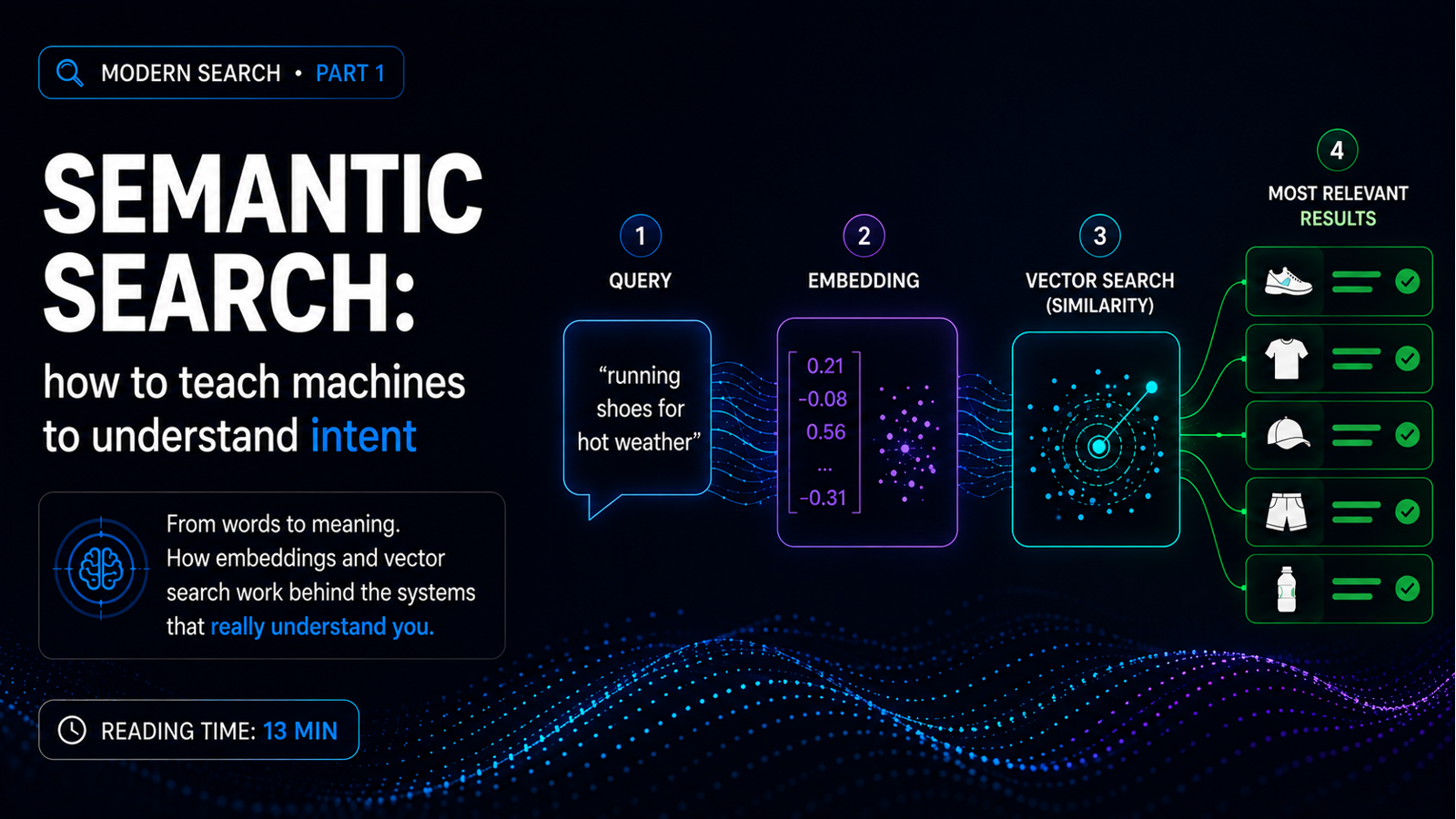
You send the word “pizza” to the embedding model. It returns a list of — say — 1024 numbers between -1 and 1:
[0.21, -0.05, 0.78, 0.13, -0.42, ..., 0.09]
You send “lasagna”. It returns another list of 1024 numbers:
[0.19, -0.08, 0.81, 0.10, -0.40, ..., 0.07]
The magic is that these two lists will be nearly identical. Not because the model saw “pizza” and “lasagna” together — though that helped during training — but because it learned that both live in the same semantic neighborhood: Italian food, main dish, pasta or dough base, dinner context.
Now send “Python”. The vector will be very different. Because Python is a programming language, it’s tech, it’s an entirely different context. The vector for “Java” will be similar to the one for “Python”, because both are languages. Pizza and lasagna sit together in one corner, Python and Java sit together in another corner, cat and dog sit together in a third corner.
The distance between two vectors becomes a measure of semantic similarity. That’s the trick. You’ve converted text — which is symbolic, discrete, hard to compare — into geometry. And geometry, we know how to measure.
In practice, generating an embedding looks like this:
from openai import OpenAI

client = OpenAI()
response = client.embeddings.create(
    input="pizza margherita",
    model="text-embedding-3-small"
)
vector = response.data[0].embedding  # list of 1536 floats
Text goes in, geometry comes out.
Algebra with meanings
To make this less abstract: because these vectors actually carry meaning, you can do math with them. Real math. The classic experiment, from Mikolov’s 2013 paper:
vector("king") - vector("man") + vector("woman") ≈ vector("queen")
The model learned, without anyone explicitly teaching it, that there’s a masculinity-femininity axis in vector space. Another one:
vector("Paris") - vector("France") + vector("Italy") ≈ vector("Rome")
The concept of “capital of a country” became a direction in space. You can subtract “France” to remove the “specific country” component, then add “Italy” to put it back. The result lands near the Italian capital.
This isn’t pretty theoretical math. It’s literally what’s happening inside the model. That’s why semantic search works: the model learned structure about the world, and you’re doing geometry on top of that structure.
Where these numbers come from
Embedding models are neural networks trained on absurd amounts of text to learn these representations. The main families today:
Commercial APIs. OpenAI (text-embedding-3-small, text-embedding-3-large), Cohere (embed-v3, strong on multilingual), Voyage AI. Expensive, but quality near the top of the leaderboard, no infra to maintain on your side.
State-of-the-art open-source. BGE (from BAAI), E5 (from Microsoft), GTE (from Alibaba). You run it on your GPU, zero API cost, zero vendor lock-in. BGE-M3 and BGE-large multilingual compete well with OpenAI in many benchmarks.
The classic base. Sentence-Transformers — the library that popularized all of this. Smaller, simpler models, great for prototyping.
How to choose? Go to MTEB — the Massive Text Embedding Benchmark, the public reference leaderboard. Pick a model in your cost and size range, and test it on your domain. A model that’s good at English may be bad at Portuguese. A model that’s good at short text may be bad at long documents. A model that’s good at general domain may be bad at legal, medical, or technical vocabulary. Always measure.
How to compare two vectors
You have the query vector, you have the document vectors. How do you compare them? Three options, in the order you’ll probably use them.
Cosine similarity measures the angle between vectors, ignoring magnitude. It ranges from -1 to 1 (in practice, with text, it falls between 0 and 1). It’s the default in the overwhelming majority of cases, because meaning lives in direction, not in the size of the vector.
Dot product is the scalar product. It cares about direction and magnitude. If your vectors are normalized — and most modern models return normalized vectors — dot product is mathematically equivalent to cosine and cheaper to compute. Use it for optimization.
Euclidean distance is the straight line between two points. It works, but it’s less common with text. It shows up more with image embeddings.
Rule of thumb: start with cosine, switch to dot product when optimizing.
kNN, ANN, and the scale problem
How do you find the documents most similar to the query? The conceptual algorithm is k-Nearest Neighbors (kNN). Four steps: take the query, generate its embedding, measure the distance to every document in the catalog, sort, and return the top K.
It works perfectly on a thousand documents. On a million, computing distance against every single one is O(n), infeasible in real time.
The solution is ANN — Approximate Nearest Neighbors. You give up a bit of precision to gain orders of magnitude in speed. Instead of comparing against everything, you compare against an intelligently chosen subset.
The most popular algorithm today is HNSW — Hierarchical Navigable Small World. It works like a world map with multiple zoom levels: you start at the highest level, navigate quickly until you’re close to the answer, then descend into more detailed levels and refine. From O(n) you drop to O(log n). It’s what Elasticsearch uses, what pgvector uses, what practically every vector database uses underneath.
In production, recall of 95-98% is easy to hit with a well-configured HNSW, and latency lands in the milliseconds.
Where to run this
The ecosystem has exploded in the last few years. I split it into two families.
Dedicated vector databases: Pinecone (SaaS), Weaviate, Qdrant, Milvus, Chroma. They were born for this. They generally deliver better performance and more mature features for vector search. The downside is it’s one more database to maintain.
Databases that added vector support: Elasticsearch and OpenSearch (already had mature text search, got vector); PostgreSQL with the pgvector extension; Redis; MongoDB. The advantage here is reusing a stack you already have. The downside is that features and performance sometimes aren’t as polished as in the dedicated ones.
How to decide? If you already have Elasticsearch in production, start by adding vector search to it. Don’t switch databases over a new feature. If you’re starting from zero and want simplicity, Qdrant and Weaviate are great. If you’re Postgres-first and your volume is moderate, pgvector handles it. There’s no single answer — there’s tradeoff.
The movie example, now with semantics
Remember the query from the beginning? “movie about a guy stuck in the same day”. Before, with BM25, it returned Stuck on You and Day After Tomorrow because of the literal words. Now, with vector search:
| Position | Movie | Score |
|---|---|---|
| 1 | Groundhog Day | 0.89 |
| 2 | Edge of Tomorrow | 0.85 |
| 3 | Palm Springs | 0.81 |
Notice the important detail: the synopsis of Groundhog Day says “a man relives the same day repeatedly”. The word “stuck” never appears. But the model understood that being in a time loop is a form of being stuck in time. Palm Springs is an indie film many people have never heard of — but the model knows it, because it trained on descriptions from the entire internet.
Same query. Completely different results. No synonym dictionary. No manual rules. The model just did geometry.
Where vector search also breaks
Before you walk away from here with stars in your eyes — vector search has serious blind spots too.
Exact identifiers. User searches for SKU-A4729. Vector search will return things semantically similar, which is not what they want. For SKUs, product codes, IDs, order numbers — you need exact match, not similarity.
Negations. “Shoe without laces” might return shoes with laces, because the concept “laces” is strongly represented in the query vector. Modern models handle this better, but it remains fragile.
Very short or ambiguous queries. “java” — is it the language, the island, or the coffee? BM25 also suffers, but vector search doesn’t magically solve it.
Cost. Generating an embedding per document costs. Vector storage costs (1024 dimensions × 4 bytes × N documents). Reindexing when you switch models costs. The latency of generating an embedding for every query also costs.
When you stack the blind spots — exactness, short queries, cost — it becomes clear: replacing BM25 with vector search is trading one set of problems for another.
The answer is to combine, not replace
The good news is that these two worlds have complementary blind spots. BM25 is strong exactly where vector search is weak: exact match, SKUs, specific keywords. Vector search is strong exactly where BM25 is weak: meaning, intent, divergent vocabulary.
When you combine them, what one misses the other catches.
That’s what the next post is about: hybrid search. How to run BM25 and vector search in parallel, how to fuse the rankings without falling into the obvious trap of weighting score against score, and why this is the architecture that delivers the best results in production from day zero, with no manual weight tuning.
Until then, if you’ve never played with embeddings, open a notebook. Grab the OpenAI API (or run BGE locally), embed a few dozen sentences from your domain, compute cosine between them, and see what clusters together. It’s the best way to internalize the idea: to see with your own eyes that the model actually understands.
This is the first post in a series on modern search. Next: hybrid search with Reciprocal Rank Fusion. If you’re applying this in some context, drop me a message — I’d love to know where.
› Continue reading
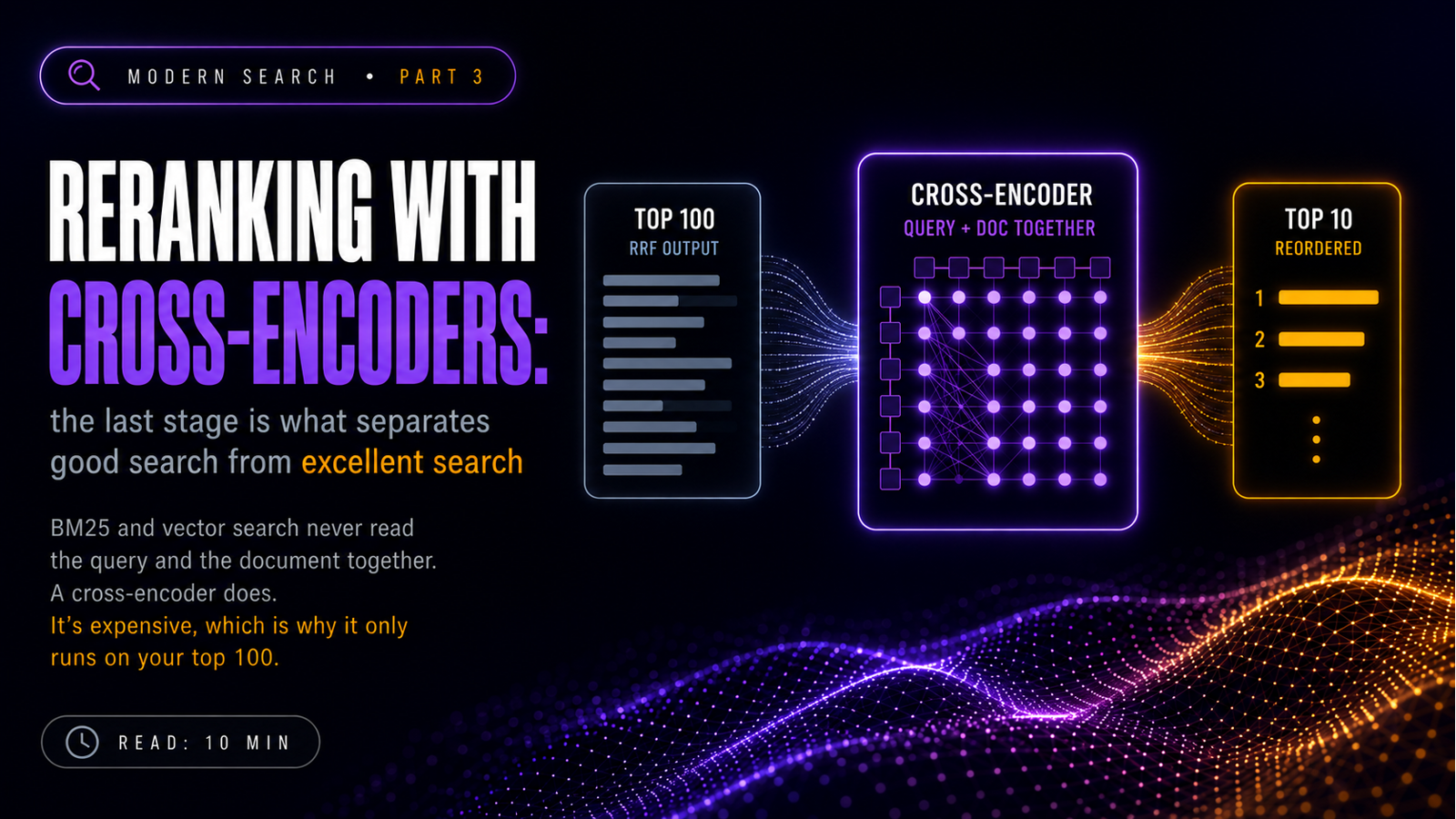
Reranking with Cross-Encoders: the step that separates good search from excellent search
Hybrid search ranks by consensus, and consensus isn't relevance. A cross-encoder reads the query and the document together and reorders your top 100. Third and final post in the series on modern search.
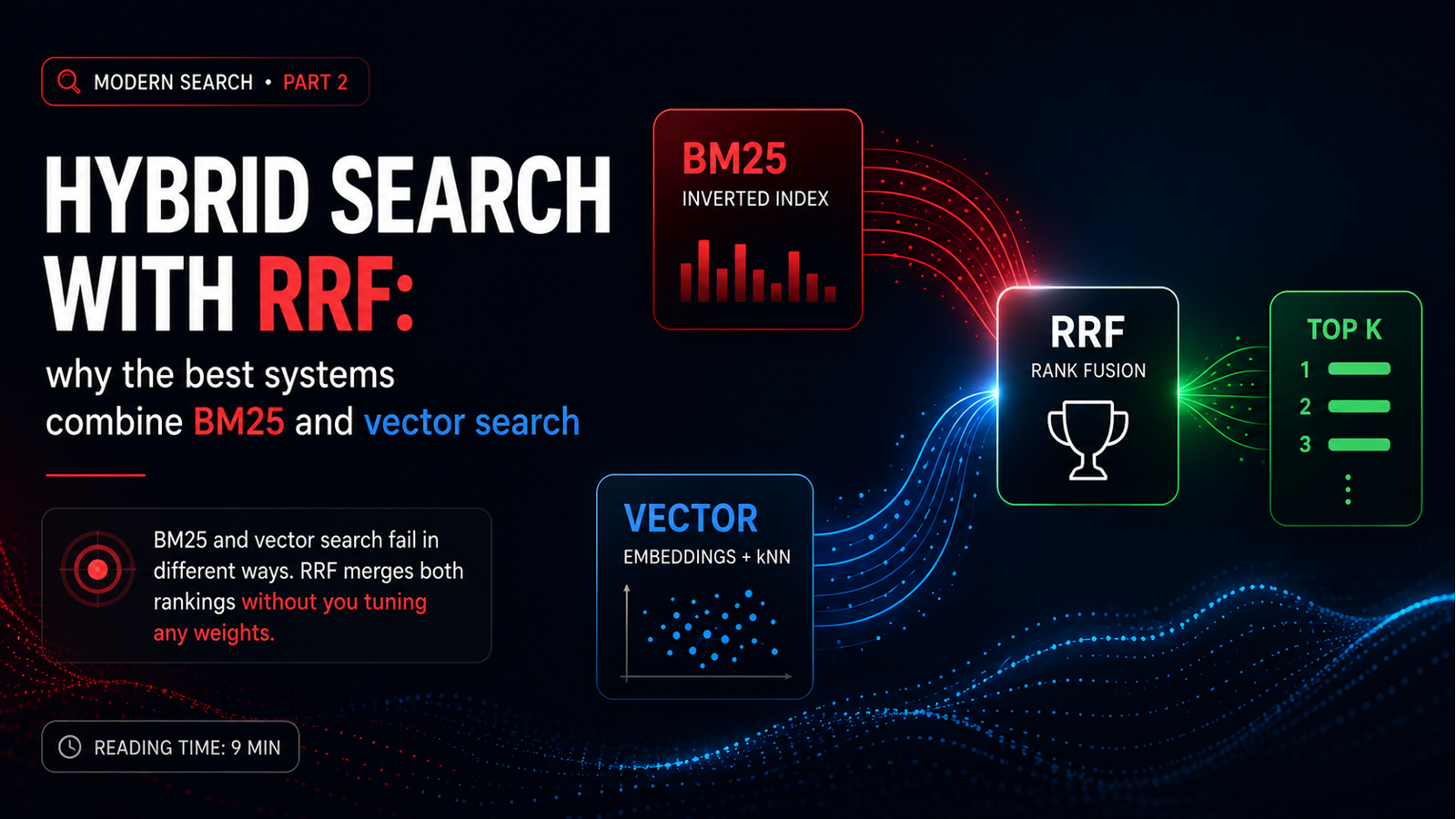
Hybrid Search with RRF: why the best systems combine BM25 and vectors
BM25 and vector search fail in different places. Reciprocal Rank Fusion merges both rankings without you calibrating a single weight. Second post in a series on modern search.
Comments
No signup needed. Basic markdown supported. Validated with Cloudflare Turnstile.